-- Michelle Joy, Distance Learning Librarian
Showing posts with label searching. Show all posts
Showing posts with label searching. Show all posts
Monday, October 10, 2016


Thursday, July 7, 2016
Credo Reference Upgrade!

Credo Reference is available under our E-Resources. We have
recently upgraded Credo and I’m going to go over what that means today.
When you do a topic search in Credo, it now also searches multiple
other databases. This means you’ll get results from other databases without
having to repeat your search within them! This doesn’t mean it will be a one
stop shop for your research, but it is a fantastic place to start and have a
great launch pad to continue from.
On the topic page of any search you will get a brief overview
of the topic and then below will be other links to references in Credo and then
from the other databases. Here is an example of how that will look:

Do you have questions? There’s an easy way to ask questions
right at the bottom of your screen!
If you have any questions Credo cannot answer, or about
anything else, our library staff is always happy to be of assistance!
-- Michelle Joy, Distance Learning Librarian
Tuesday, February 2, 2016
Morning Chat

- Michelle Joy, Distance Learning Librarian
Wednesday, June 24, 2015
Database Spotlight: CQ Researcher

CQ Researcher provides in-depth, unbiased coverage on important issues such as health, social trends, criminal justice, international affairs, education, the environment, technology, and the economy.
Each report is researched, professionally fact-checked, and provides researchers with the following information:
- An introductory overview
- Background and chronology
- An assessment of the current situation
- Tables and maps
- Pro/con statements on opposing positions
- Bibliographies of key sources
Some of the most recent reports include: Pesticide Controversies, Intelligence Reform, and Restoring Ties with Cuba
The CQ Researcher database is located within the databases section on the Cannon Memorial Library Website. Please contact us if you have any questions.
-Theresa Whitehead, Distance Learning Librarian
Thursday, December 11, 2014
LibGuides to the Rescue
Do you need a starting point with your research? If so, use a Subject Research LibGuide!
Watch this short video on what Subject Research LibGuides are and how to use them to assist you with your research.
If you have any questions on Subject Research LibGuides, please contact us.
-Theresa Whitehead, Distance Learning Librarian
Watch this short video on what Subject Research LibGuides are and how to use them to assist you with your research.
If you have any questions on Subject Research LibGuides, please contact us.
-Theresa Whitehead, Distance Learning Librarian
Monday, November 17, 2014
Attention Business Majors and Business Enthusiasts
The Cannon Memorial Library has many business resources which can assist you with your studies, as well as provide you with business-related entertainment.
Electronic Books
- Here is a sample at the types of business-related books we offer. If you want to read any of these electronic books, just click on the image to open the book within our library catalog.


Websites
- Faculty and Librarian recommended websites. Includes websites within the following topics: Business and Human Resources; Finance and Accounting; Career, Study Abroad, and Internship; and Business Directories
Videos
- Watch informative videos which will help you locate a great number of business resources.
Standard and Poor's NetAdvantage Database: Learn how to search for company information.
SWOT Analysis: How to find a SWOT analysis on EBSCO, ProQuest, and Standar and Poor's NetAdvantage Database.
LibGuide
- View this libguide for further information and links within the following categories: Online Databases/Articles; Ebooks; Selected Websites; Print Books; and Print Periodicals

Please contact us if you need further assistance on how to locate business-related books, information, or resources.
-Theresa Whitehead, Distance Learning Librarian
Thursday, November 6, 2014
Reliable Websites at Your Fingertips

Did you know that the library compiled an extensive list of reputable websites within a variety of subjects? If not, you should take a look at the Recommended Websites page.
Save yourself the time of endlessly searching the web for something that may not even be reliable and use the recommended websites that faculty and librarians found for you.
- Art
- Business, Finance, and Marketing
- Career information and Job Prospecting
- Computers and the Internet
- Criminal Justice and Legal
- Education
- English, Literature, and Poetry
- Government on the Web
- History and Geography
- Humanities
- Information Literacy Links
- International Studies
- Math
- Medicine and Healthcare
- Military and ROTC
- Psychology and Educational Psychology
- Religion, Theology, and Values
- Science
- Social Services
- Theresa Whitehead, Distance Learning Librarian
Sunday, November 2, 2014
Phrase Searching for Precision

When searching online, do you find yourself locating way too many unrelated articles and feel overwhelmed by the number of results? If so, you may need to narrow your results with the use of phrase searching.
Phrase Searching:
- Put quotation marks around phrases
- Keeps phrase together within search results
- Retrieves articles with phrase rather than individual words = precise results
- Titles: "The Wizard of Oz"
- Commonly used phrases: "close but no cigar"
- Topics: "global warming"
Phrase Search 1
- No quotation marks around working mothers
- Retrieved 118,942 articles
- Many of the articles have nothing to do with the topic even if they contain the words - working and mothers


Phrase Search 2
- Quotation marks around working mothers
- Retrieved 2,873 articles
- Only found articles that contain the words working mothers together and in that order


For your next research paper, remember to use phrase searching to narrow your search results for retrieval precision. If you have any questions on phrase searching, contact the reference desk.
-Theresa Whitehead, Distance Learning Librarian
Thursday, October 9, 2014
JSTOR Daily Launches with Free Access to Popular Articles

Ever wish you had the time simply to explore JSTOR? Since it has thousands of journals with electronic copies of each title starting with volume one, issue one, relying on serendipity to guide you can be challenging. Now there's help...
 October 1, 2014, JSTOR launched its open-access JSTOR Daily online magazine, featuring short, blog-style articles on a wide range of popular and general-interest topics. Each piece is designed to lead you further into JSTOR's cache of academic material. Sections feature pieces on: Arts & Culture; Business & Economics; Politics & History; Science & Environment; and Education & Tech.
Each JD piece includes links to relevant JSTOR articles and makes them open to the public. Of course, once something piques your curiosity, you'll want to log into the library's subscription to "dig deeper" on your own.
 For example, "Infection Control 600 Years Before the CDC," by James MacDonald, appears in the Science & Environment section (9Oct14) and highlights relevant articles from 1917, 1951, and 2007. Seems ripped from today's headlines, right?
Read the full announcement in the 9Oct14 Library Journal article, "JSTOR Launches Free Online Magazine for Popular Audience." (Just remember: This is a Beta service.)
--Sandy Hawes, Online Services Librarian
Tuesday, September 30, 2014
Database Spotlight: A-Z List of E-Resources

If so, A-Z List of E-Resources is exactly what you need to identify which databases possess your article!
A-Z List of E-Resources is a searchable index of electronic journals, magazines, and newspapers available online in Saint Leo University
Library Databases.
With the A-Z List of E-Resources, you can:
- Search by the article citation
- Explore all issues within a specific journal
- Locate all journals with particular keywords
- Browse through all of the journals

Do you know the article title, but not the citation? Just do a Google search on the title to retrieve the article and citation. Remember: You must use the library’s databases to access the articles for free!

Assignment: Your professor wants to locate the following article:
Early childhood pre-service teachers' response to mobile technology: creative projects, analysis, and reflection on learning experiences. (2013). Education, 134(2), 161-166.
Steps:
- To locate the article, click on A-Z List of E-Resources on the library website homepage.
- Once in the A-Z List of E-Resources, locate journals in one of two ways:
- Search by journal title or partial title
- Browse all journal titles
- Just type in your topic - locate the journal, then the databases it is located within.

- Click on one of the databases to open up the journal. From there, you will see a list of years which hold all of the issues published for those dates.
- Click on the year to open up all of the volumes/issues and click on the one that is listed in your citation.

- Once you do that, you will see all of the articles published within that issue. The article for the assignment is the third article down. Voilà – you found your article without having to search through multiple databases!

It's as simple as that. If you need any further assistance with the A-Z List of E-Resources or any other type of research question, contact the reference desk.
- Theresa Whitehead, Distance Learning Librarian
- Theresa Whitehead, Distance Learning Librarian
Monday, September 8, 2014
Compare and Contrast with FindTheBest.com
Do you need to write a research paper where you need to
compare and contrast different elements within such topics as religion or art? If so, FindTheBest.com is a great
place to start your research! It is a vast website
where you can analyze the similarities and differences within a variety of
subjects.
On the site, you can type in a search for a specific topic or browse through the
different categories. For example, if
you want to compare Protestantism with Catholicism, you can type “religions” in
the search bar to see a list of all the religions. From there, you click on which religions you
want to compare and then click “compare now” to see a side-by-side description
of the two religions.

Or, let’s say that you say that you want to compare portrait
paintings completed by Leonardo da Vinci during the end of the 15th
Century. Under the Browsing section, click
on Educational Resources under the References tab and locate European Art. Within the European Art subdivision, type in the artist’s name, and then click
on the intended time period, form, and genre. From there, you will
see all his portrait paintings that he completed during those dates. Then, just click on which ones that you want
to compare.

Once you get the initial comparisons from FindTheBest, don’t
stop there! Make sure to go to the LibraryWebsite to search for related information.
Search for a book (print or electronic) within the catalog and a scholarly article
within the databases. Books and scholarly journals are important as they support the
original comparison found on FindTheBest.com with scholarly information
needed for your research paper.
-Theresa Whitehead, Distance Learning Librarian
-Theresa Whitehead, Distance Learning Librarian
Thursday, August 28, 2014
Locate Company Information with LexisNexis®

Do you need to locate information on a specific company,
such as financial data, key executives, or top competitors? If so, use Hoover’s Company Records within
the LexisNexis® database.
Follow these steps in order to retrieve a wealth of company information.
- First, you will need to enter our library web page at www.saintleo.edu/library and select Databases from the left column.
- Next, scroll down and select LexisNexis®. You will need to login using your SLU username and password.
- Once you are in the LexisNexis® Database, select “Advanced Options” under the red search box.
- Then, under Content Type, deselect all but Company Profile.
- Now, type “Hoover Company and Industry Reports” within the Source box, and then click “Apply”.
- On the next screen, type the company name you want to search in the red search box, and the search to retrieve all of the results.
- From there, you will see a list of items to explore; just click on the one that matches your specific need.
- Also, if you want to narrow further, click on an item from the “Multiple Groups” section on the left.
If you have any additional questions on how to search company information, please contact the Reference Desk.
- Theresa Whitehead, Distance Learning Librarian.
- Theresa Whitehead, Distance Learning Librarian.
Monday, January 13, 2014
LibAnswers is Here!

Welcome
to a New Year and new semester at Saint Leo University! To better assist our
patrons’ reference needs, we have implemented a new system: LibAnswers!
Library
users can type questions into a LibAnswers box to search a knowledge base
of FAQs. These FAQs are uploaded from questions received and answered by SLU
librarians, as well as from questions and answers that librarians generate and
upload.
If a
satisfactory answer to a question does not appear in the FAQs, library users
have the option to submit the question as an email through the LibAnswers
question box form.
Librarians
are still available for assistance at the reference desk, by telephone, or
through email, but head over to our library page and give LibAnswers a try! The link to LibAnswers can be
found on the main library page in a tab next to “Access LibGuides” or at
saintleo.libanswers.com.
Wishing
you success with the upcoming classes!
Thursday, August 8, 2013
Changes to Library Services: WorldCat
Hello, Saint Leo Pride. it has been a while since the last
blog post, and there are some exciting new changes coming to the services that
the library will be providing our patrons. Beginning August, our catalog
database will be switching to WorldCat, and we will be implementing LibAnswers,
a new way to ask and retrieve answers for reference and library questions.

WorldCat is a global system with user-friendly features that
will be replacing our existing catalog. Much like our current search box, Worldcat
can be accessed through the library website. The result format will look
different (as seen below), but you will still be able to limit your search by
different criteria, such as book, eBook, language, and many others. A great
feature that WorldCat provides is that if we do not possess a book in our
collection if it is available at any surrounding libraries.
This new system allows for easier use of access, retrieving
materials, and has a more aesthetically pleasing display. Further details to be
announced as the time draws near!
Monday, June 10, 2013
Boolean Searches: Easier Than You Think
Finding research for a paper can seem like a daunting
undertaking, especially if you’ve never had to conduct such thorough research.
Maybe it’s for a subject you are not familiar with, for a thesis, or your topic
is so narrow that you need articles on a specific topic alone. Well, have no
fear: Boolean Search is here!
The logic of Boolean search is pretty straightforward and
will save you a great deal of time narrowing down resources. There are three
key terms to remember: AND, OR, and NOT.
- OR: Search results will contain either one or several or all of the search terms. Best used when you want to pull together results on similar topics.
- AND: Search results will contain all search terms, and results where one of the terms is missing will be excluded. AND is best used when you want to retrieve only those results where the search terms overlap.
- NOT: Used to exclude keywords from your search, this term is most effective when your search is ambiguous.

Boolean searches may be utilized through the library
databases and numerous search engines (including Google), so they really are an
essential logic to learn. Makeuseof.com has a great article on Boolean searches, including pictures, diagrams, and further interpretations. Take a
look and find some relief with your research! Until next time!
-Aimee Graham, Online Librarian -
Monday, June 3, 2013
Top 100 Search Engines for Academic Research
Hello once again, SLU Pride! It has been a while since the
last entry, but we are back and in full form!
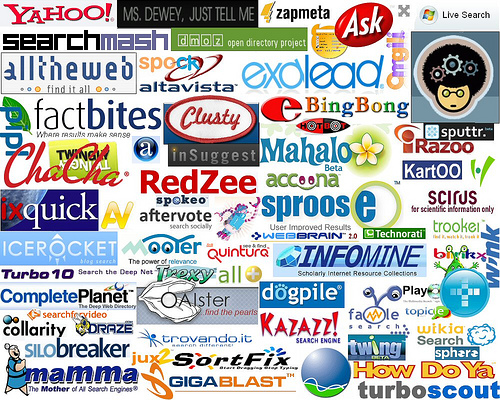 Being librarians, we understand that sometimes you will use sources for research other than what we have available at our library. Of
course we prefer you choose us, but if in a bind, or can’t find the exact
information you are looking for, we want you to use credible sources. This is
why today’s entry showcases the Top 100 Search Engines for Academic Research, a
helpful tool to set you on the path to academic excellence.
Teachthought.com has generated this list in order to keep researchers
supplied with information, and will expose researchers to sources they may have
never heard of before! The list is organized by genre, with a category for
nearly every discipline, and includes reference, general searches, journals, databases,
and books.
This list is definitely bookmark worthy, and a great
fallback in the event the CML does not have the sources you are looking for.
Make sure to check the sources available through the Reference Desk or contact our Interlibrary Loan department if assistance is required!
-
Aimee Graham, Online Librarian -
Wednesday, November 14, 2012
Become a Guru with Gooru Search Engine!
 |
| From www.goorulearning.org |
 |
| From www.goorulearning.org |
Gooru is a free educucation search engine that strives to "aggregate the best of the web, giving you high-quality and free multimedia resources within seconds..." which can then be "organize[d]...into a playlist called a collection." The potential for teachers is immense as they can very quickly discover quite an assortment of resources on a subject in a myriad of formats that they might find useful for their students' learning enrichment. To begin, you just type a subject into the search box or choose the "Browse Library" option below the "Search" icon to see a list of subjects and their resources.
Gooru's initial emphasis has involved providing comprehensive collections "...on math, science, and social science subjects for 5th through 12th grade", but they are also "constantly expanding to more subjects and grade levels." As stated on their "Who Are We?" page, Gooru's team of educators includes "education researchers, academic experts, designers and engineers who share a passion for education." At the same time, Gooru also "encourage[s] the use of Open Education Resources (OER) and allow[s] users to upload their own material and make it available on Gooru Search." According to their FAQ page, a Gooru account is not needed to "use or share resources....However, if you want to save your favorites or customize a collection, you will need to sign up...." To sign up, click on the "Register" option at the top righthand corner of the Gooru home page. To learn more about this innovative education search engine, visit Gooru's Help Center.
- Kerry Vash, Online Librarian, Blog Co-editor -
Subscribe to:
Posts (Atom)